Network Topology 5.6.0 — reading switches more cleanly: typed LLDP, management IP and a PoE budget alert
The main module and all eight dashboard widgets run on Zabbix 7.0 LTS, 7.4 and 8.0. Get it: github.com/linuser/zabbix-network-topology/releases
The 5.5.27 post ended at the MAC finder and the move to Zabbix 8. A fair amount has landed since — rings, spanning-tree, per-port PoE, the VLAN view, aerial and floor-plan backgrounds, a WLAN widget — and with 5.6.0, three things that make the everyday noticeably calmer. The full list is in the changelog; here are the highlights.
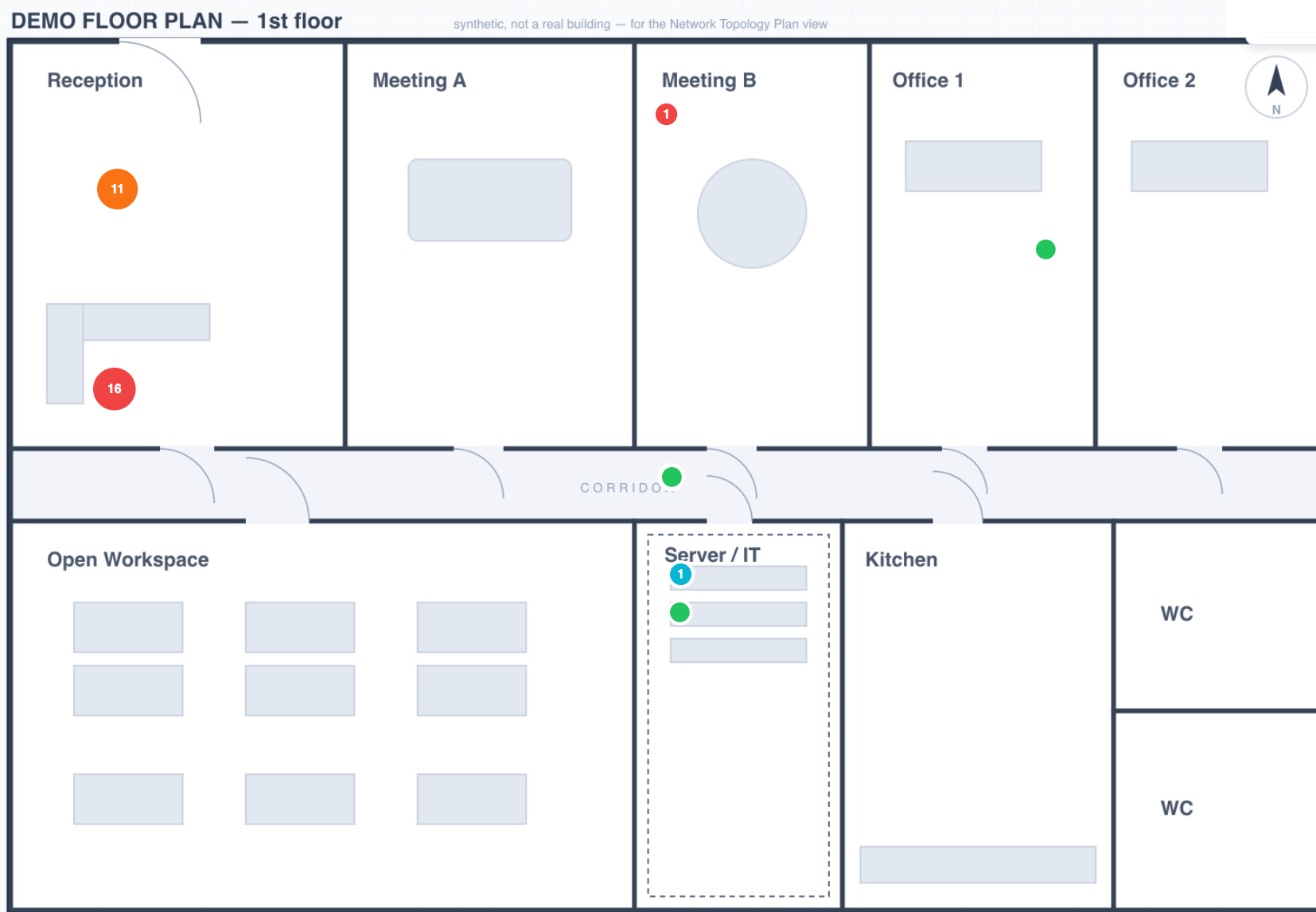 Here since 5.5.27: the Plan view places devices on a floor plan or aerial image (a synthetic demo plan here) — the status sits where the device physically is.
↶ One move too many? Take it back
You arrange the map by hand — drag nodes, group things, until it reads right. And then one slip drags the wrong node and the clean arrangement is gone.
Not anymore: Ctrl/Cmd+Z undoes the last layout change, Ctrl/Cmd+Shift+Z (or Ctrl+Y) redoes it. Two toolbar buttons (↶ / ↷) do the same and grey out when there’s nothing to undo. Applying a layout is undoable too — picked a different layout and didn’t want it? One undo brings your hand-made arrangement back.
The history survives a background refresh and resets only when you really switch view (a different set of nodes). Snapshot-based, up to 60 steps, robust against nodes that appear or vanish between steps.
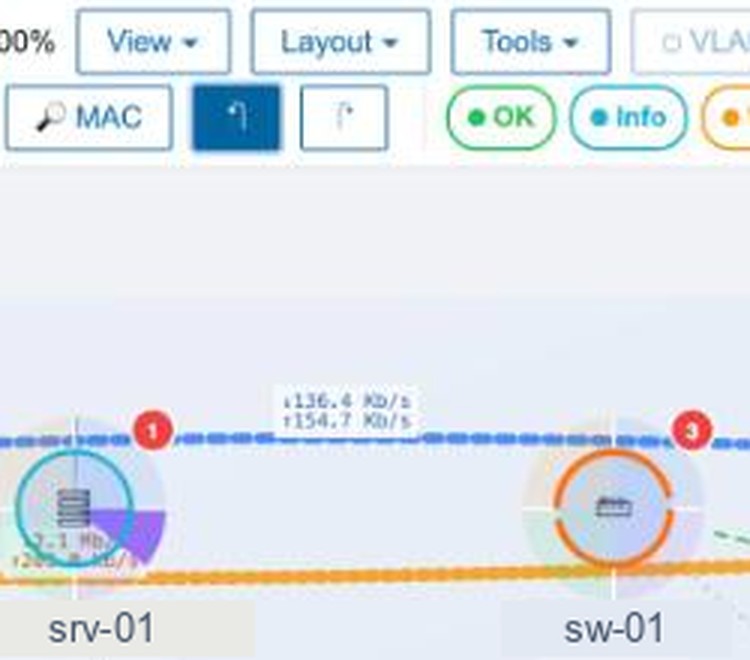 Move a node, ↶ lights up — one Ctrl+Z and it snaps back, with ↷ ready.
LLDP stops guessing
Two sources of wrong neighbours are gone.
The chassis-id is now typed. A neighbour reports its identifier with a subtype — MAC, network address, interface name, or just a local string. The module used to bend every identifier into a MAC and match on that; an identifier that was really an IP or a name became a made-up MAC and hit the wrong host. The template now collects lldpRemChassisIdSubtype, and the module treats each identifier as what it is — fewer wrong edges.
The neighbour’s management IP is read. Through lldpRemManAddr the module now knows the address a neighbour advertises. Two things fall out of that:
- An unresolved neighbour whose advertised management IP belongs to a monitored host is linked to it anyway — even when the name and MAC never matched up.
- An unmonitored neighbour (a ghost) shows its IP in the detail panel, and “create host” prefills an SNMP interface on it. “something’s hanging there” becomes a host you take into monitoring in two clicks.
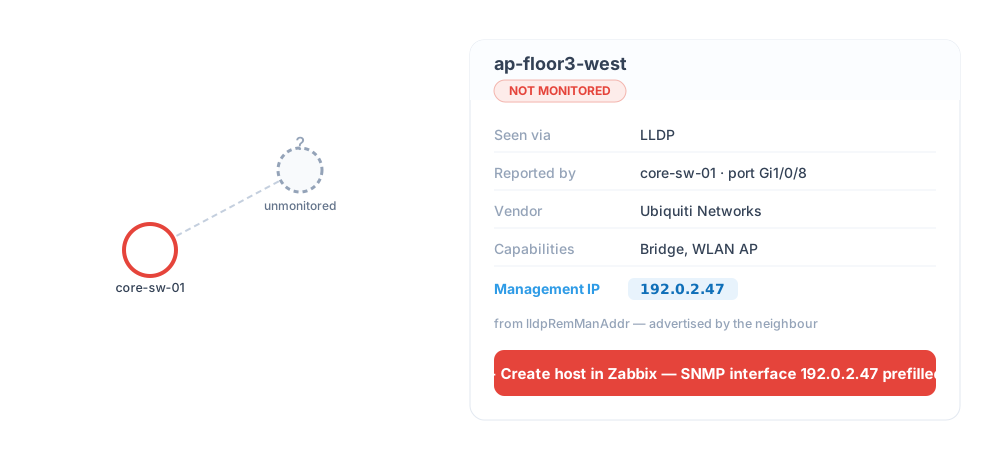 An unmonitored neighbour advertises its management IP — the panel shows it, “create host” carries it over as an SNMP interface.
The PoE budget finally speaks up
A switch’s faceplate used to show its PoE budget as a quiet number — 78 / 95 W, in the same muted colour at any load. You saw the value, but not that it was getting tight.
Now it shows the percentage, turns amber at ≥ 80 % and red + ⚠ at ≥ 95 %, and draws a small sparkline of the last six hours next to it — a PoE budget that was at 60 % twenty minutes ago and is now scraping 94 % is visible at a glance, not only when the next access point won’t come up.
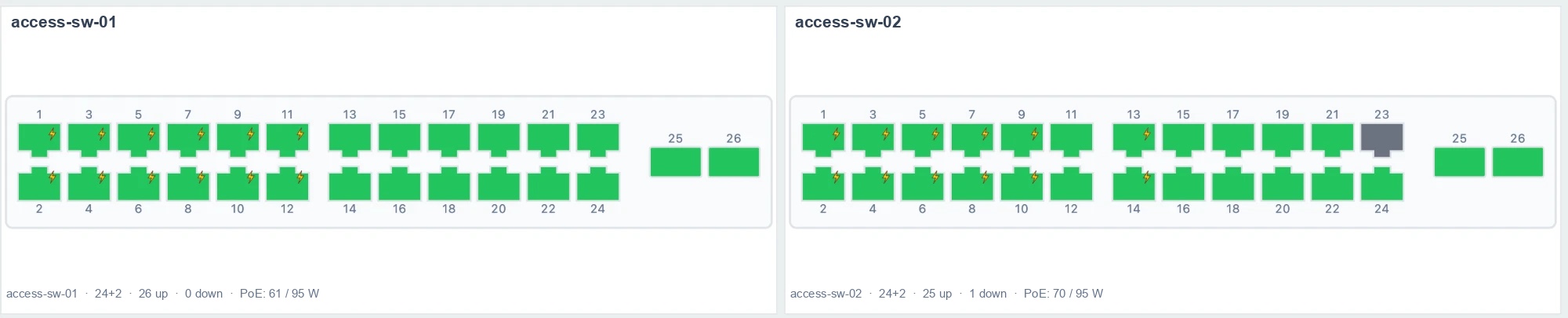 The faceplate shows the PoE-powered ports (lightning) and the switch’s budget — 61 and 70 of 95 W here. At ≥ 80 % it turns amber, at ≥ 95 % red, with the six-hour trend beside it.
Fixes you’ll notice
- Big maps render again. Wide hierarchy and hop tiers were laid out in one enormous row, the map zoomed down to sub-pixels and looked empty. Tiers now wrap, and maps with 1000+ hosts are visible.
- CDP no longer invents edges from opaque hex. A five-byte CDP id like
01 02 03 04 05was truncated to01and matched an unrelated host — a false edge, and several such ids collapsed into one phantom ghost. Fixed. (Found in the Liberamente fork by Mauro Majeroni.) - Shared host+hops layouts are kept. A super-admin’s shared arrangement saved in host+hops focus mode was silently discarded on load; now it survives.
🔒 Security hardening
An external code/security review (F01–F13) has been worked through — each finding reproduced first, then fixed, each fix with a test that fails without it. Among them: creating a host now also requires the Hosts configuration role right; the topology-change sender verifies TLS and keeps the password and the response out of process arguments; deploy.sh is rollback-safe; shared-config writes fail closed instead of overwriting a concurrent change with a stale copy; floor-plan background images must be HTTPS.
⬆️ Upgrade notes
- Re-import the
NT LLDP Neighbors by SNMPtemplate (Data collection → Templates → Import, Update existing) so the typed chassis-id and management-IP items arrive. Nothing changes for devices that send neither. - Plan backgrounds set via URL must be
https://now —http://URLs are rejected. Backgrounds from the Zabbix image store are unaffected.
Get it
5.6.0 is current, and the first public release since 5.5.27 — it bundles everything in between, version by version in the changelog. Upgrading within 5.5/5.6 means “swap the directory, reload once” — layouts, links, pins and notes stay where they are. Only the new LLDP data needs the template re-imported once. Releases & install →